
python超、超、初心者のうしおです。
ChatGPTで作らせた以下のプログラム。動かねえー。
import pygame
import random

# ゲームの初期化
pygame.init()
screen_width = 800
screen_height = 600
screen = pygame.display.set_mode((screen_width, screen_height))
clock = pygame.time.Clock()

# プレイヤーの設定
player_size = 50
player_x = (screen_width - player_size) // 2
player_y = screen_height - player_size
player_speed = 5

# アステロイドの設定
asteroid_size = 50
asteroid_x = random.randint(0, screen_width - asteroid_size)
asteroid_y = -50
asteroid_speed = 3

# ゲームループ
running = True
while running:
    for event in pygame.event.get():
        if event.type == pygame.QUIT:
            running = False

    # プレイヤーの移動
    keys = pygame.key.get_pressed()
    if keys[pygame.K_LEFT] and player_x > 0:
        player_x -= player_speed
    if keys[pygame.K_RIGHT] and player_x < screen_width - player_size:
        player_x += player_speed

    # アステロイドの移動
    asteroid_y += asteroid_speed
    if asteroid_y > screen_height:
        asteroid_x = random.randint(0, screen_width - asteroid_size)
        asteroid_y = -50

    # 衝突の判定
    if (player_x < asteroid_x + asteroid_size and
        player_x + player_size > asteroid_x and
        player_y < asteroid_y + asteroid_size and
        player_y + player_size > asteroid_y):
        running = False

    # 画面の描画
    screen.fill((0, 0, 0))
    pygame.draw.rect(screen, (255, 0, 0), (player_x, player_y, player_size, player_size))
    pygame.draw.rect(screen, (0, 255, 0), (asteroid_x, asteroid_y, asteroid_size, asteroid_size))
    pygame.display.update()
    clock.tick(60)

# ゲーム終了
pygame.quit()
runすると、
ModuleNotFoundError: No module named 'pygame'
pygemeモジュールが見つからないとさ。。。
ちなみに私のPCはM2 Macbook Air、pythonはversion 3.11.0です。
1時間ほど、ネットで調べた結果、ターミナルを開いて、
pip install --upgrade pip
と入力すればいいみたい。
Collecting pygame
  Downloading pygame-2.4.0-cp311-cp311-macosx_11_0_arm64.whl (12.2 MB)
     ━━━━━━━━━━━━━━━━━━━━━━━━━━━━━━━━━━━━━━━━ 12.2/12.2 MB 8.3 MB/s eta 0:00:00
Installing collected packages: pygame
Successfully installed pygame-2.4.0
おーーーインストールできたあああああ。
そして、プログラムrun
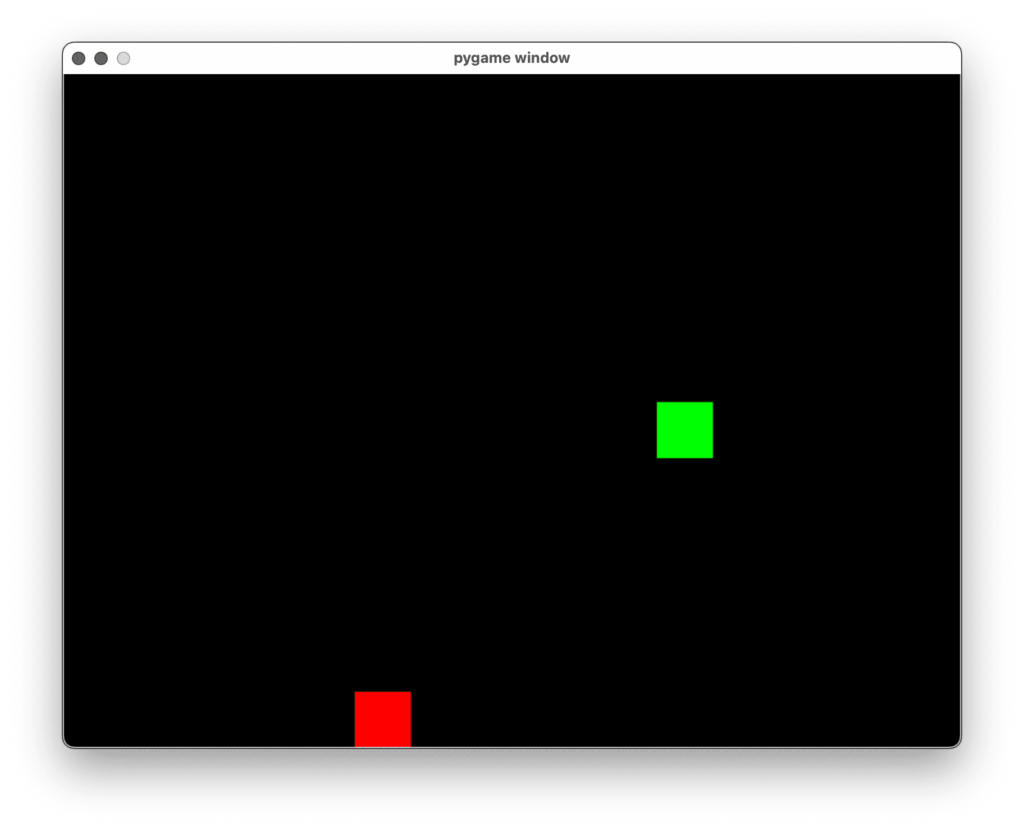
動いたあああああ
ChatGPTもすごいなあ。。。
コメント